Moz is partly free. You get a free account and free tools with tight monthly limits, while Moz Pro, the full suite, is a paid subscription with a free trial.
Search for "is Moz free" and you will find three different products under one name: a free account, free tools and the paid Moz Pro suite. Each has its own rules.
This guide explains what you get from each, how the Moz Pro free trial works, and when free is enough. Moz's site blocks automated checks, so we could not read its pages directly. Figures below come from third-party reviews and are labeled that way, so confirm them on Moz's site before you rely on them.
Is Moz free? TL;DR
- Free account: yes, with limited monthly queries, reportedly about 10 per tool.
- MozBar: a free browser extension showing authority scores.
- Moz Pro: paid, with no permanent free plan.
- Moz Pro free trial: available to new subscribers, most often reported as 7 days.
- Best free companion: Google Search Console, which shows your real data.
What do you get with a free Moz account?
A free Moz account gives you limited access to Moz's research tools. Third-party reviews report limits of about 10 queries a month each in Link Explorer and Keyword Explorer.
That is enough to check a competitor or two and a handful of keywords. It will not support regular keyword research, since one project can use up a month's quota in minutes.
Moz is best known for Domain Authority, a 1 to 100 score that predicts how likely a site is to rank. It is a Moz metric, not a Google one, so use it to compare sites and do not treat it as a ranking factor.
Which Moz tools are free?
Moz offers several free tools alongside the free account. These are the ones third-party reviews mention most, and each has limits of its own.
| Tool | What it does | Limit on free use |
|---|---|---|
| MozBar | Shows authority scores as you browse | Basic features |
| Link Explorer | Checks a site's backlinks | Monthly quota |
| Keyword Explorer | Finds keywords and volume estimates | Monthly quota |
| Domain Analysis | Summarizes a site's SEO metrics | Not confirmed |
The tools are useful as spot checks. The Beginner's Guide to SEO, which Moz publishes for free, is one of the longest-running learning resources in the industry and costs nothing to read.
How does the Moz Pro free trial work?
The Moz Pro free trial gives new subscribers full access for a limited time, then moves to a paid plan unless you cancel. Most recent third-party sources put the Moz Pro free trial at 7 days, and some older pages mention 30 days.
Sources also conflict on two practical points, so check them on the sign-up page:
- Eligible plans. Some sources say only certain tiers qualify.
- Card requirement. Most sources say you need a card, and one disagrees.
Treat any trial like a project with a deadline. Choose the site you want to study, set a reminder two days before the end, and finish the work you came for.
How much does Moz Pro cost?
Moz Pro is a paid subscription with several tiers, and annual billing costs less than monthly. The figures below come from third-party reviews published in 2026, because we could not confirm them on Moz's own pricing page. Promotional prices also circulate, so treat this table as a rough guide.
| Plan (third-party reports) | Monthly | Billed annually |
|---|---|---|
| Starter | $49 | Not confirmed |
| Standard | $99 | $79 |
| Medium | $179 | $143 |
| Large | $299 | $239 |
Compare limits as well as price. Campaigns, tracked keywords and crawl budget decide whether a plan fits, and Moz pricing is only useful once you know those numbers for your site.
Is the free version of Moz enough?
The free version of Moz is enough for occasional checks on one site, and it falls short for ongoing SEO. If you need to look up a few domains each month, it covers you. If you want rankings tracked week by week, you will outgrow it quickly.
| Your situation | Good fit |
|---|---|
| Checking a site's authority | MozBar |
| A few keyword lookups a month | Free account |
| One big research project | Moz Pro free trial |
| Weekly tracking on your own site | Paid plan or an alternative |
| Agency reporting | Paid plan or an alternative |
Your own data should always come first. Google Search Console shows real clicks and queries, and Moz's numbers are estimates by comparison.
What are the best free alternatives to Moz?
The best free alternatives to Moz are tools that cover one job well. No single free product replaces the suite, but this stack handles most small-site needs:
- Google Search Console for your real queries, pages and links.
- Ahrefs Free for backlink and keyword data on sites you have verified.
- Semrush's free account for 10 reports a day, no card needed.
- Google Keyword Planner for keyword ideas and rough volume.
- Seowly's free SEO tools for Open Graph and llms.txt checks.
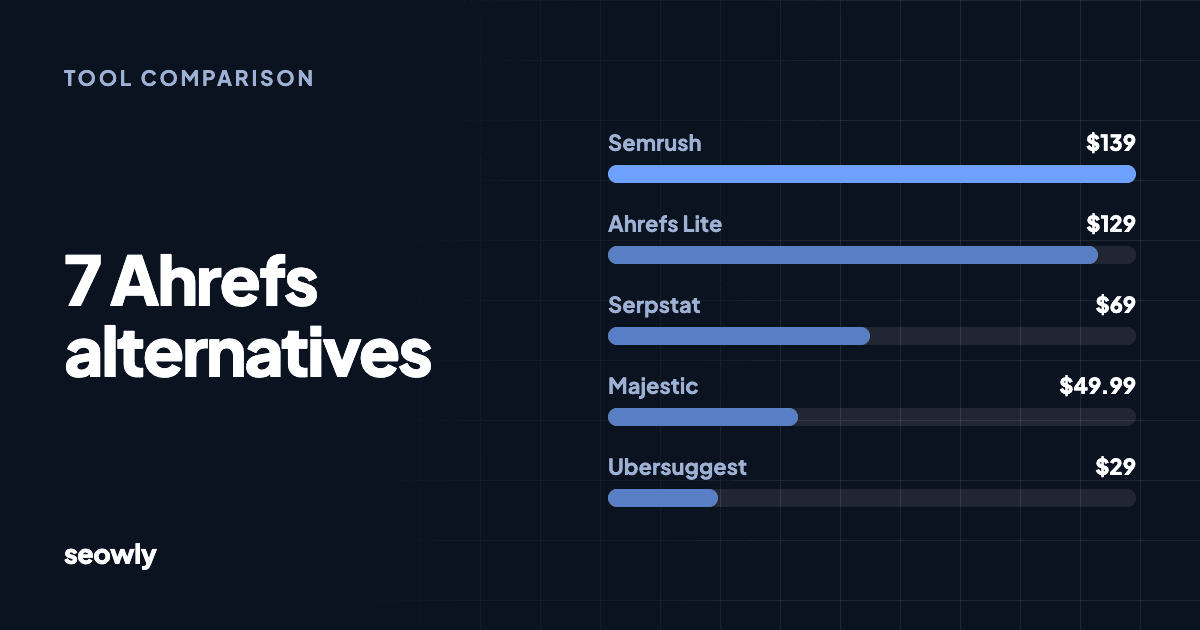
If you are ready to pay, our guides to Semrush alternatives and Ahrefs alternatives compare other tools with checked prices.
Seowly finds the links worth having, writes the pitch, and sends it from your own inbox.
Is Domain Authority worth tracking for free?
Domain Authority is worth tracking as a rough comparison, and only that. It helps you see whether you are closer to a competitor than you were six months ago.
It should not be your goal. Google does not use Domain Authority, and scores from different vendors cannot be compared with each other. A relevant link from a modest site can do more for you than a score suggests.
A better target is the number of relevant referring domains you need for a specific keyword. Our guide on how many backlinks you need to rank shows how to measure that from the live results.
How do you get the most from Moz's free tools?
You get the most from Moz's free tools by planning your lookups before you use them, because a small monthly quota punishes casual searching. A short routine keeps the free account useful:
- List your top three competitors. Run those domains through Link Explorer first.
- Write down five keywords. Choose terms you would actually build a page for.
- Install MozBar for quick checks. Use it when you review a link prospect.
- Record the results in a spreadsheet. You will not want to spend queries on the same lookup twice.
- Compare with Search Console. Check estimates against the real clicks and queries you can see.
Repeat the routine once a month. That gives you a light competitor check without paying for a suite, and it shows you whether a paid plan would change anything you do.
What mistakes should you avoid with Moz for free?
The most common mistake is treating a free metric as proof of SEO progress. Watch out for these:
- Using your quota on a whim. Monthly limits vanish fast, so list your lookups first.
- Chasing Domain Authority. Build for traffic and relevance, and let the score follow.
- Comparing DA with Ahrefs DR. They are different metrics from different vendors.
- Forgetting to cancel a trial. Set a reminder on the day you start.
- Trusting old trial details. Moz's offers have changed, so check the sign-up page itself.
- Assuming free data is complete. Every link index misses links, so check Search Console too.
What won't Moz do, free or paid?
Moz shows you where links could come from, but it does not earn them. On any plan, someone still has to find the contact, write the pitch, send it and follow up.
Seowly handles that part. It is an autonomous link building agent that runs outreach from your own inbox, and it sits alongside a research tool like Moz. It costs $39 a month for up to 5 brands, and its free opportunity report needs no card. Our Love Tales case study shows what sustained outreach built on a site our founder co-founded.
The bottom line on whether Moz is free
Moz is free for light use, and paid for anything regular. Use the free account and MozBar for spot checks, try Moz Pro when you have a specific project, and rely on Google Search Console for your real data. Check current limits on Moz's own pages, because they change, and set a reminder before any trial ends.
FAQs
Is Moz free to use?
Does Moz Pro have a free trial?
Is MozBar free?
How many free queries do you get with Moz?
How much does Moz Pro cost?
What is a good free alternative to Moz?
About the author

Marving built Seowly to automate the outreach behind Love Tales. He also built freel.ca and tourcrib.com.